How to control size of text in notes?

  • Автор темы Автор темы KitKat21
  • Дата начала Дата начала
  • Теги Теги
    notes

KitKat21

Client
Регистрация
02.05.2017
Сообщения
268
Реакции
192
Баллы
43
Hi guys,

I have a question.

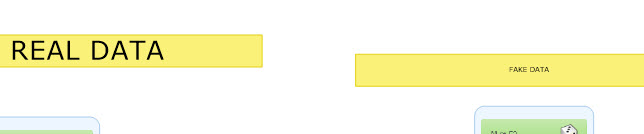
Sometimes when I make a note, the text comes out huge or sometimes regular/small.
How can I control the text size? It's really useful to sometimes have big text but I can't seem to make it big on demand.

See example:
zn-note-size.jpg


Thanks!
 
Use Caps Lock. Seems that's the only way to make some big text.
And if it's cominig out huge, for some unknown reasons, so it looks like a bug


ps: sorry for my bad english i'm just trying to not use a Google Translate :-)
 
Use Caps Lock. Seems that's the only way to make some big text.
And if it's cominig out huge, for some unknown reasons, so it looks like a bug


ps: sorry for my bad english i'm just trying to not use a Google Translate :-)

Спасибо)

I just found if I select the text and then use mouse wheel to zoom out while text is selected it gets big. The further I zoom out the bigger it gets.
Quite cool.
 

Кто просматривает тему: (Всего: 0, Пользователи: 0, Гости: 0)