
- Регистрация
- 19.01.2010
- Сообщения
- 958
- Реакции
- 743
- Баллы
- 93

ZennoPoster grandiose update to version 7!
Dear friends!
ZennoPoster has being actively developed for over 10 years and dozens thousand of people are using it daily.
For many customers this is necessary work tool and one of few programs that they once decided to buy on the Internet.
ZennoPoster has already reached version 7 status by its functionality - just check latest updates.
Major ZennoPoster updates in 2018-2019
Chrome engine
Supported two most common browser engines in the world -


More info
Anonymity
The program has advanced profile generation system and anonymity control.
More info
Bot interface
Feature for creating awesome interfaces for your bots.
More info
Parse-helper
Tool which allows to parse any info within few clicks.
More info
Plugins in ProjectMaker
Special option for creating custom action blocks - plugins in ProjectMaker for repeated use of template functionality.
More info
However, ZennoPoster design and interface that you know has not been changed significantly since 2012.
Thereafter, the program has overgrown with so many features, that screen space was not enough to place all of them and needed to be optimized.
Designing new program look, we've eliminated large number of errors and implemented several suggestions from you - our dear users!
Not all enhancements were included into the first release of new ZennoPoster 7, but most of them will be implemented already in next updates!
Together with you, we have created new and modern, easy-to-use and truly awesome tool.
And we are pleased to introduce it to you - ZennoPoster 7


| New ProjectMaker For active and modern people |
Absolutely new design
We have developed new design for ProjectMaker starting from zero, but kept everything on it's places, so that it would be familiar and easy-to-use for you.
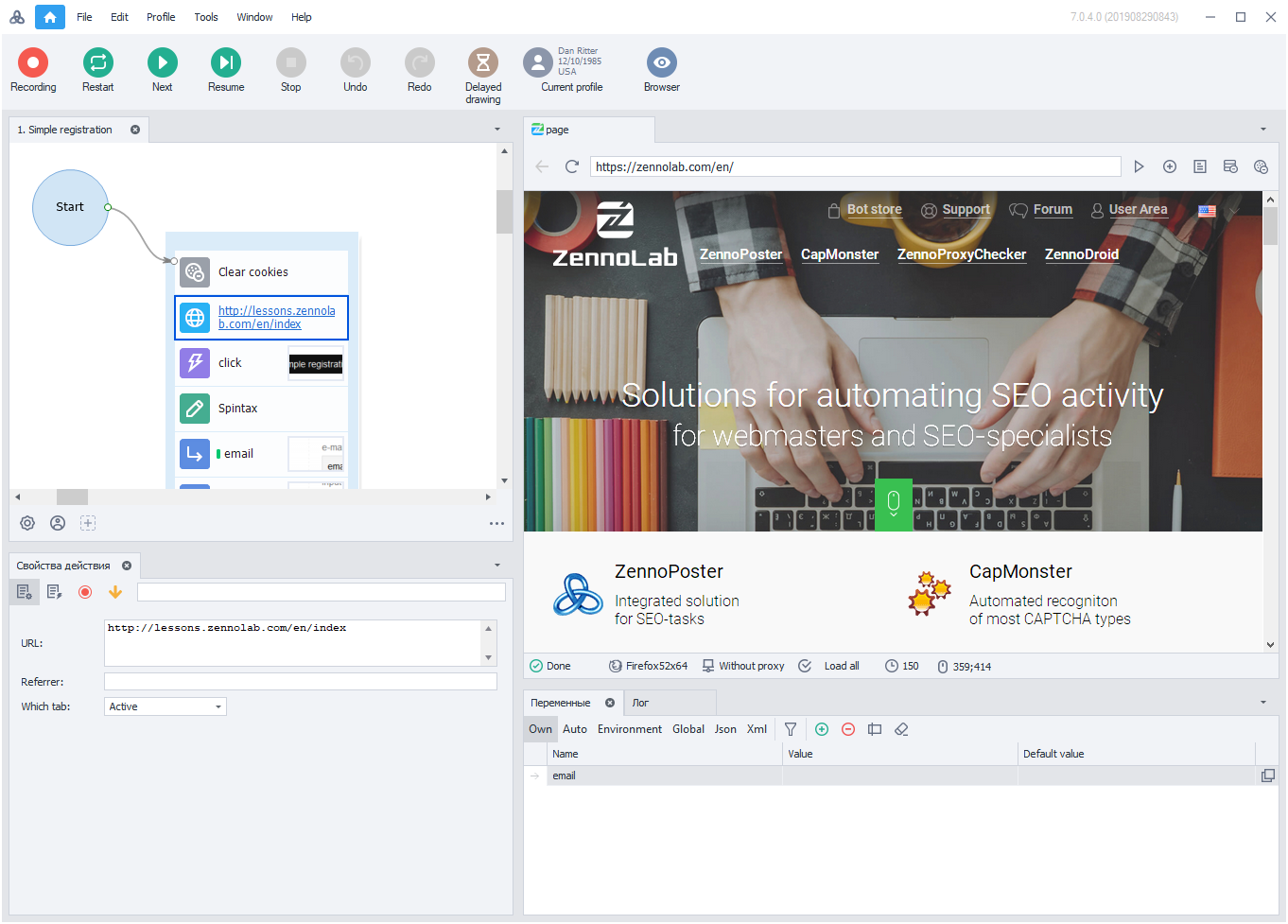
clickable ↑
Increased interface operation speed
Response speed of program interface has been increased as well as ProjectMaker start time reduced.
Combined recording and editing window
Design has modern minimalism style making interface more concise, clear and consistent.
We also reduced number of interface windows and left only important ones making navigation more intuitive.
Advanced Editor has been removed.
Show/Hide browser option added instead.
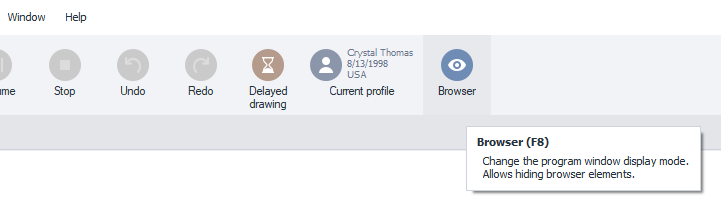
It can be handled easily with hotkey F8 during work.
Show/Hide browser are actually 2 separate view modes, in each you can customize windows as you wish - log, traffic and others. There is no need to switch to recording mode anymore.
If you accidentally configure windows incorrectly, you can always reset them via menu Window ->Interface mode -> Standard.
Flexible menu settings
ProjectMaker is the program with huge number of different features, therefore we decided to follow the concept of menus and toolbars familiar to most users, where many options are duplicated for your convenience. The menu also does not take up too much space, as it is located in window header.
Compact mode
Not all of us have a large monitor or two, and also, sometimes we have to work on the go using a laptop with a small screen. In new zennoposter, you can adapt the program to your device with couple clicks, selecting compact display mode in menu.

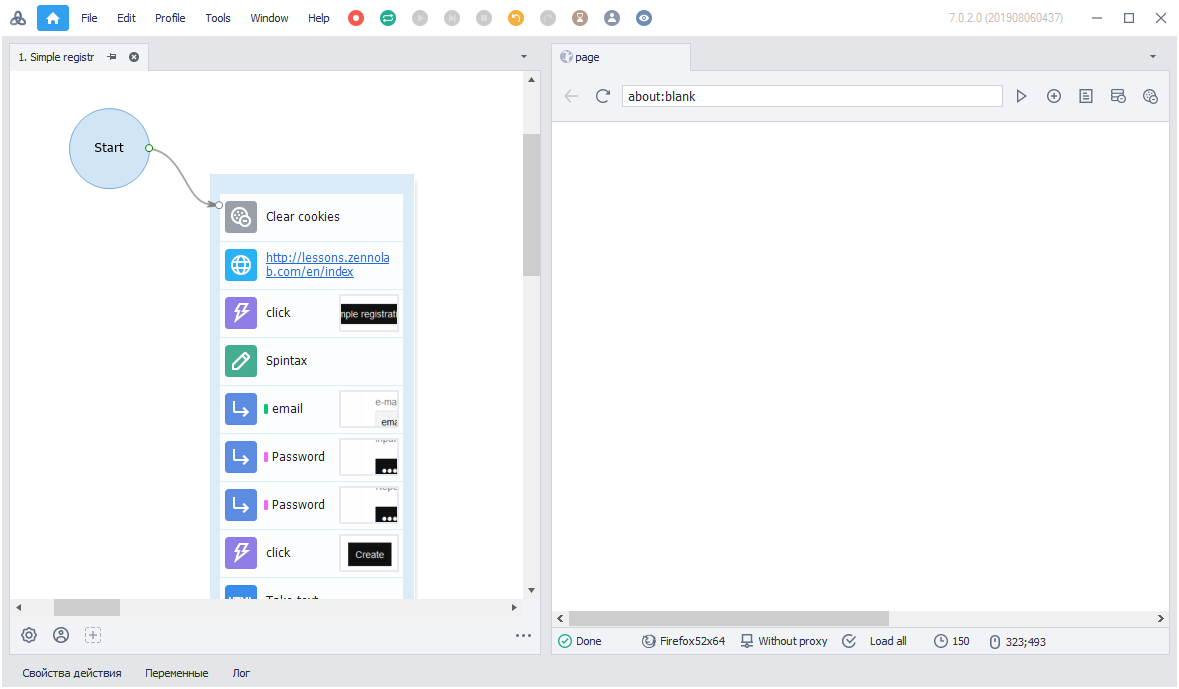
Tools available at any time
Now all program tools are located in special section "Tools", but, if necessary, they can be duplicated on the panel.
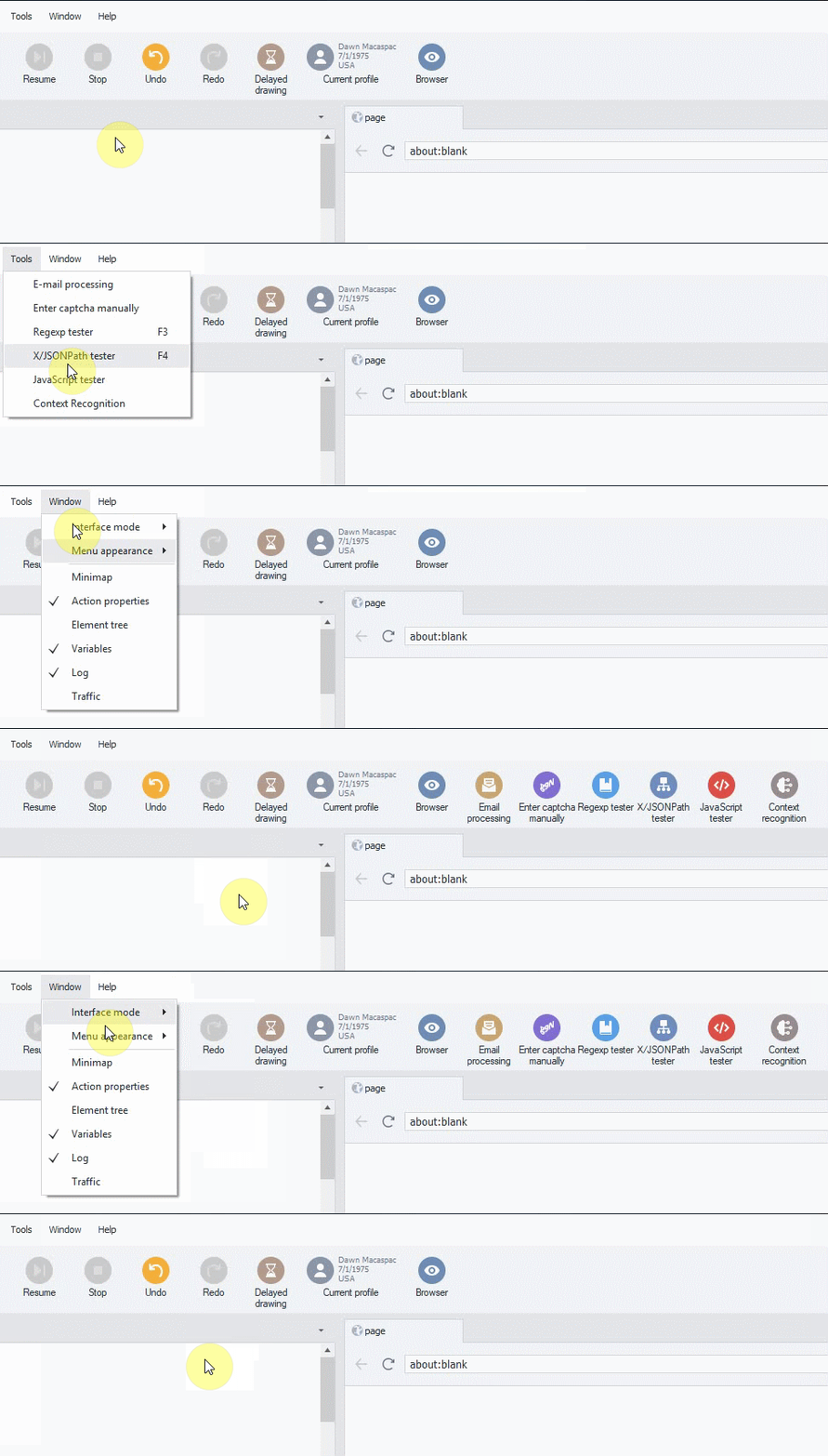
Significantly updated editor design
We significantly re-designed editor window in order to increase project readability, as well as groups and actions giving them modern and convenient look.
Fonts have become more smooth and now it will become even more comfortable to work in a project!


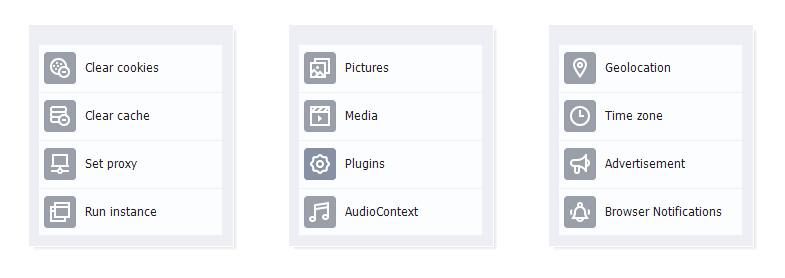
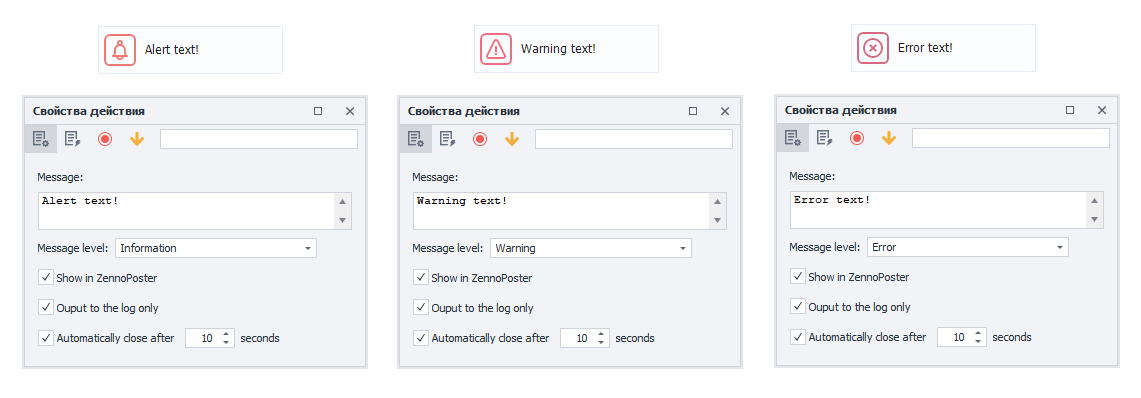
Some actions have got more variability.
For example, “Browser settings” action now has many different icons depending on content.
Fast add action menu
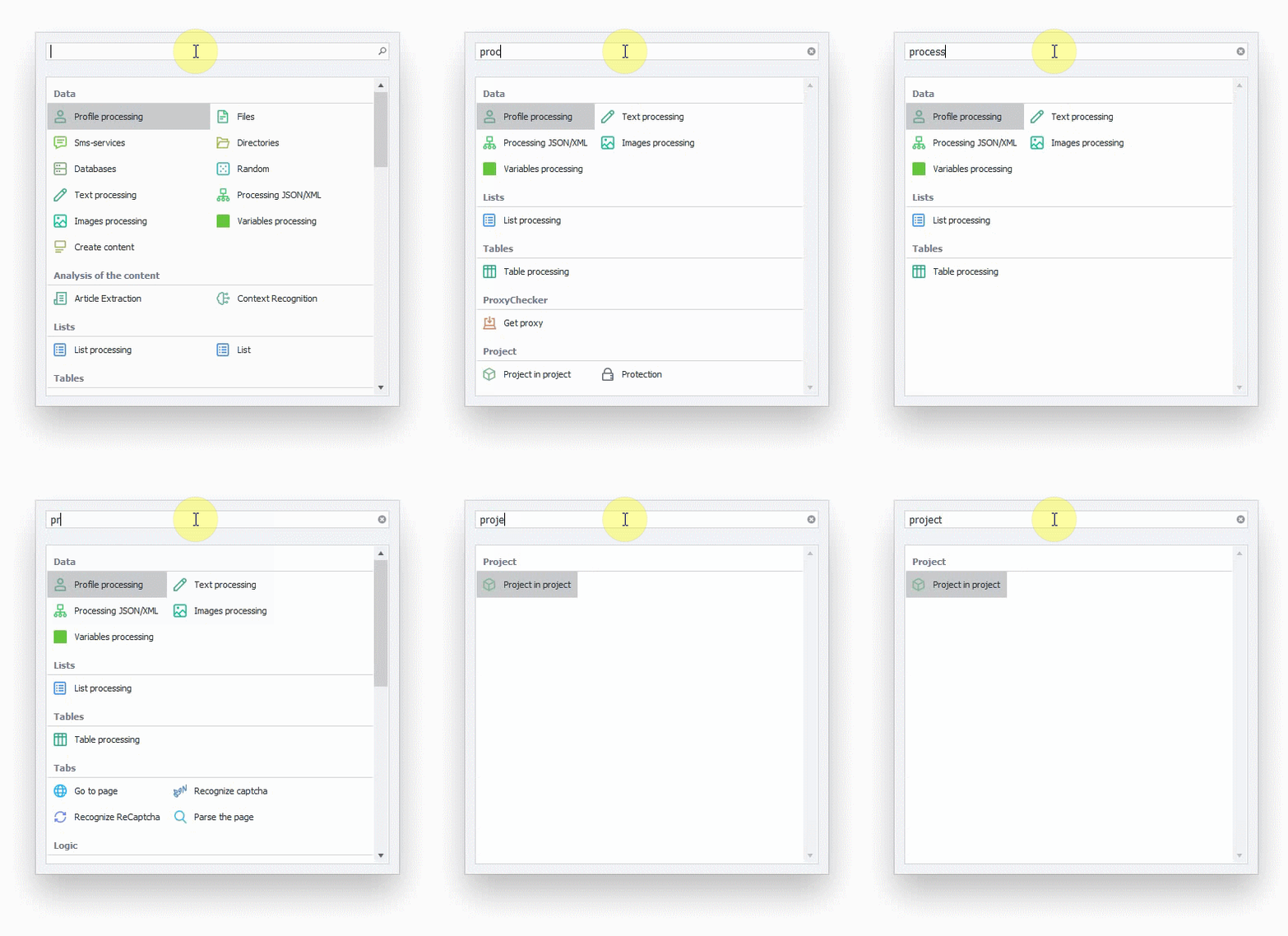
To quickly find and add necessary action to project layout, use hotkey Ctrl+T.
In opened form, start typing action name. Select matching action which will be added to your project.
Start screen
It has been changed a little, but remained in usual view.
However, we are planning to make several enhancements for it, stay tuned.

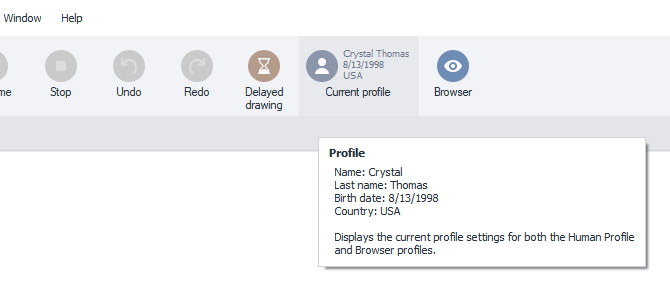
More informative profile
«Current profile» option is accompanied by basic information about profile in use.
This is especially convenient when debugging a template with large number of profiles used.
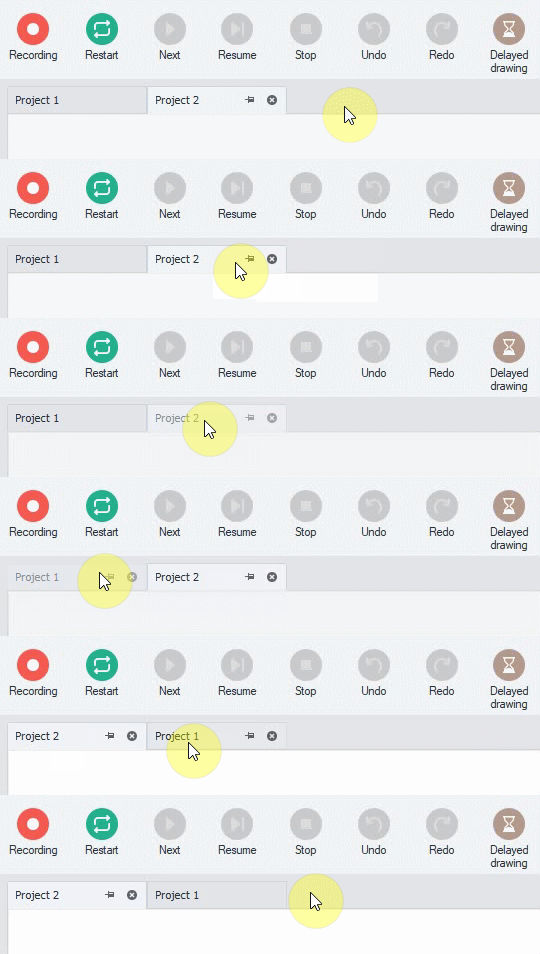
Sorting opened template tabs
This feature will appeal to those who usually works with multiple templates at once.
Now you can switch opened projects with simple Drag&Drop and stick most important ones.
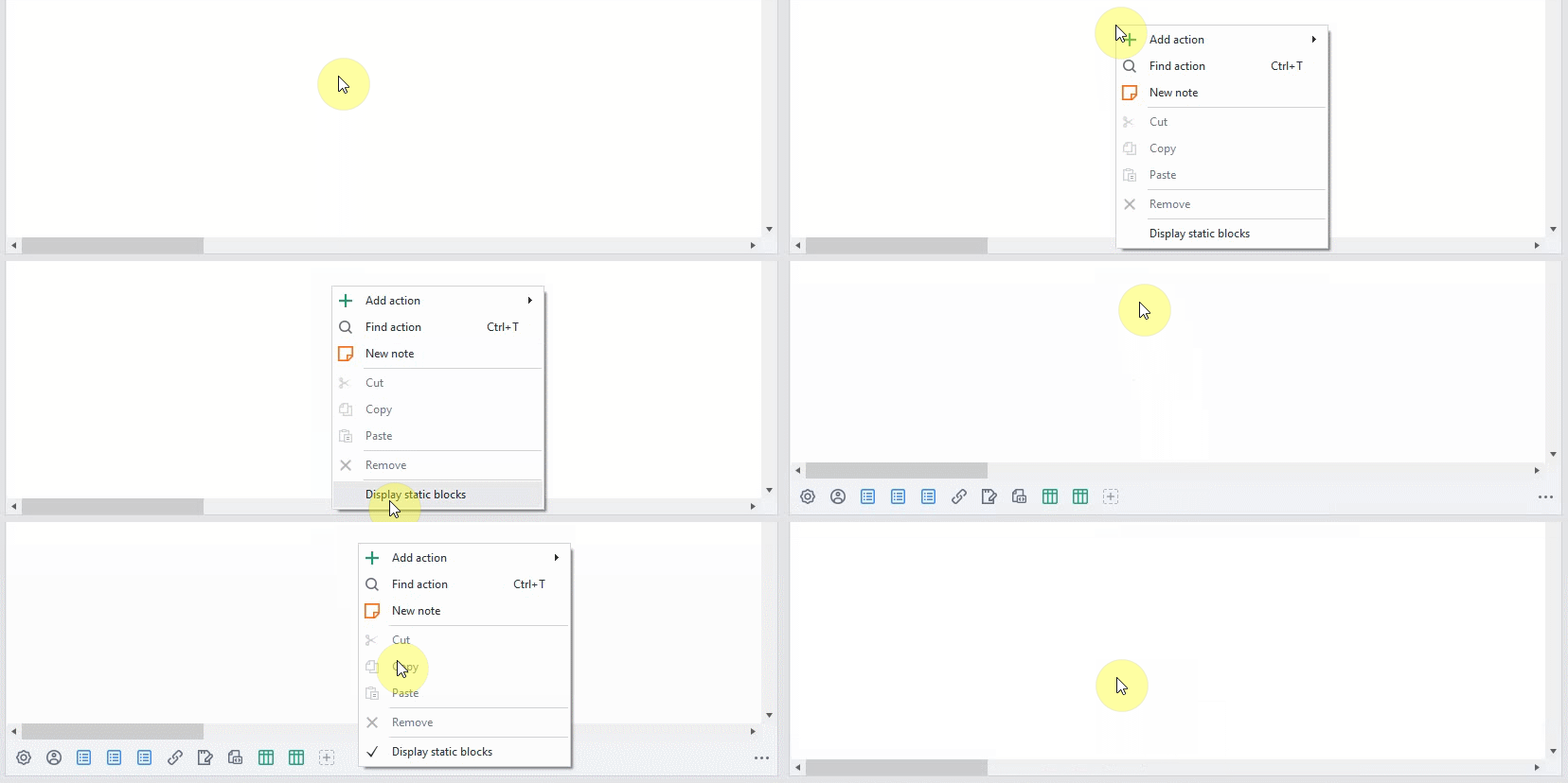
Show/Hide static blocks
This option was available in old ZennoPoster, but not in advanced editor.
Now it works in all modes - with or w/out browser.
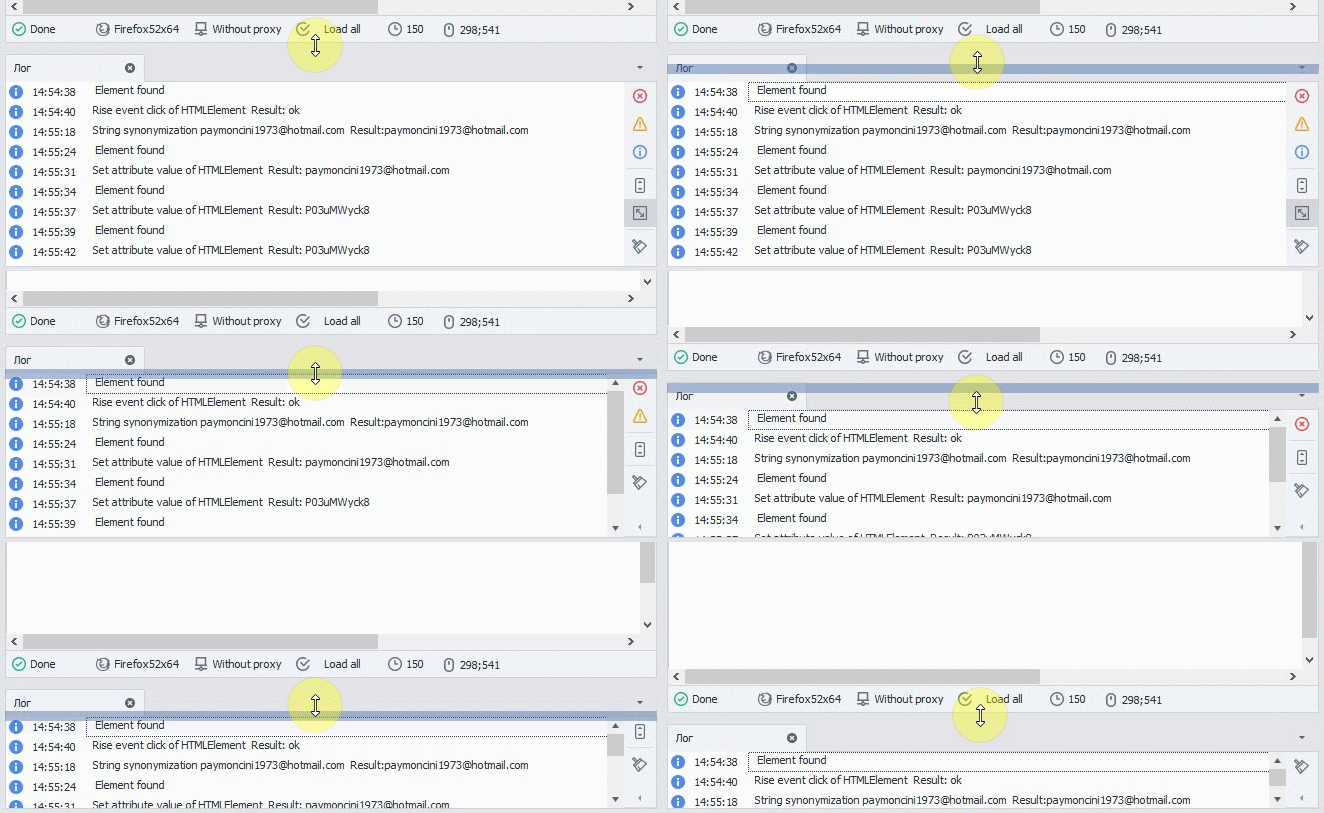
«Clear log» button not disappearing under spoiler anymore
Button for clearing log is now located at well visible place as most frequently used.
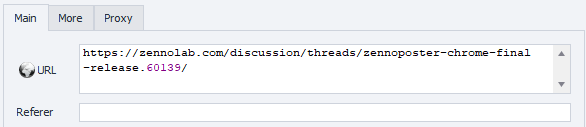
Increased URL field in GET/POST request blocks.
There is no need to scroll long URL input as it's whole visible now.
Settings in separate window
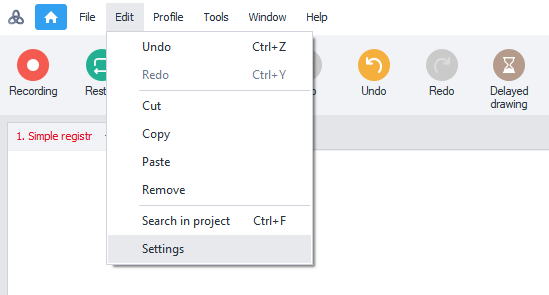
Settings have been moved to separate window Edit ->Settings

| New ZennoPoster Explosive speed |
.
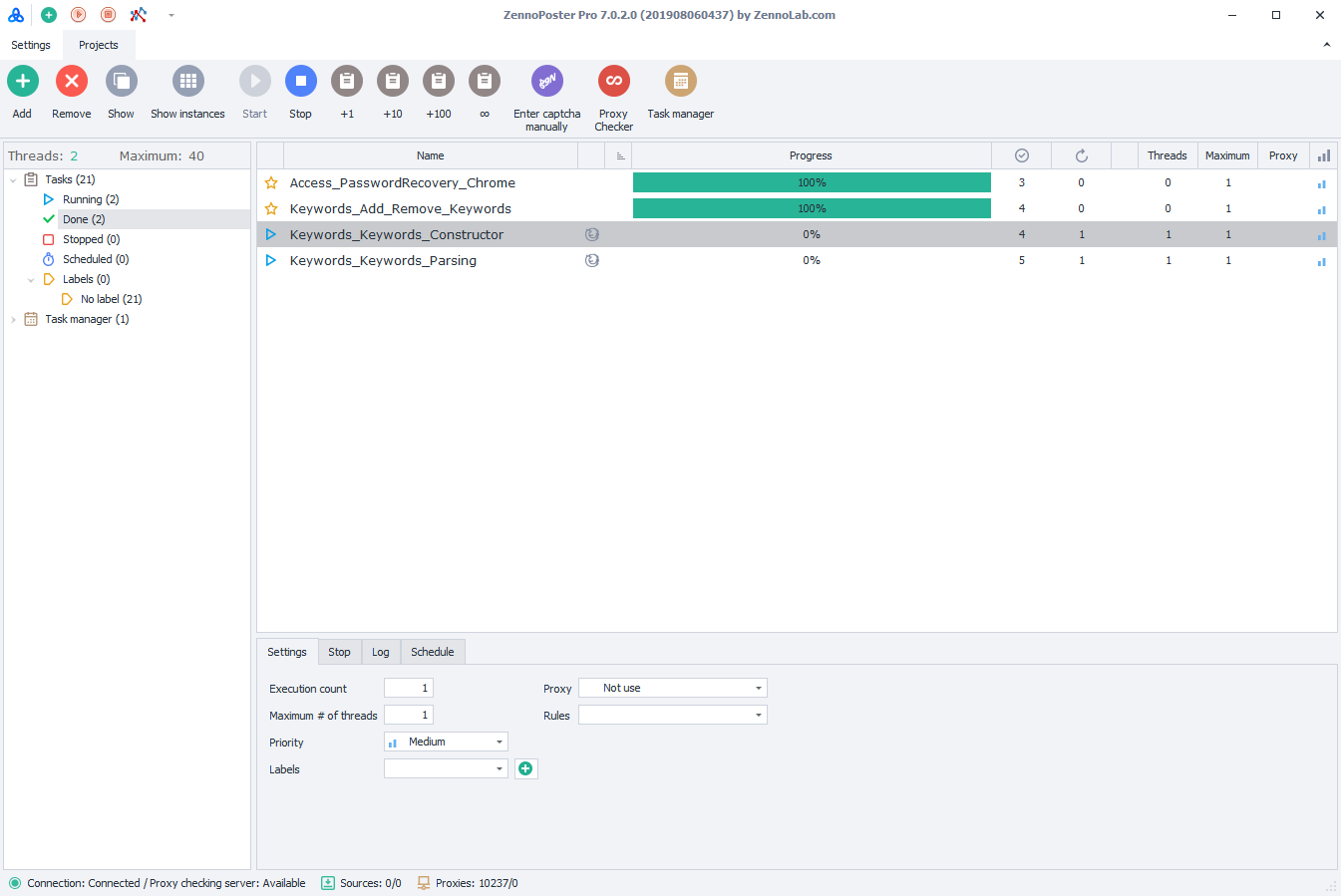
New interface
ZennoPoster has also been significantly re-designed as well as ProjectMaker.
Clickable ↑
Increased speed and stability
Huge interface acceleration and lack of freezes due to re-developed ZennoPoster engine.
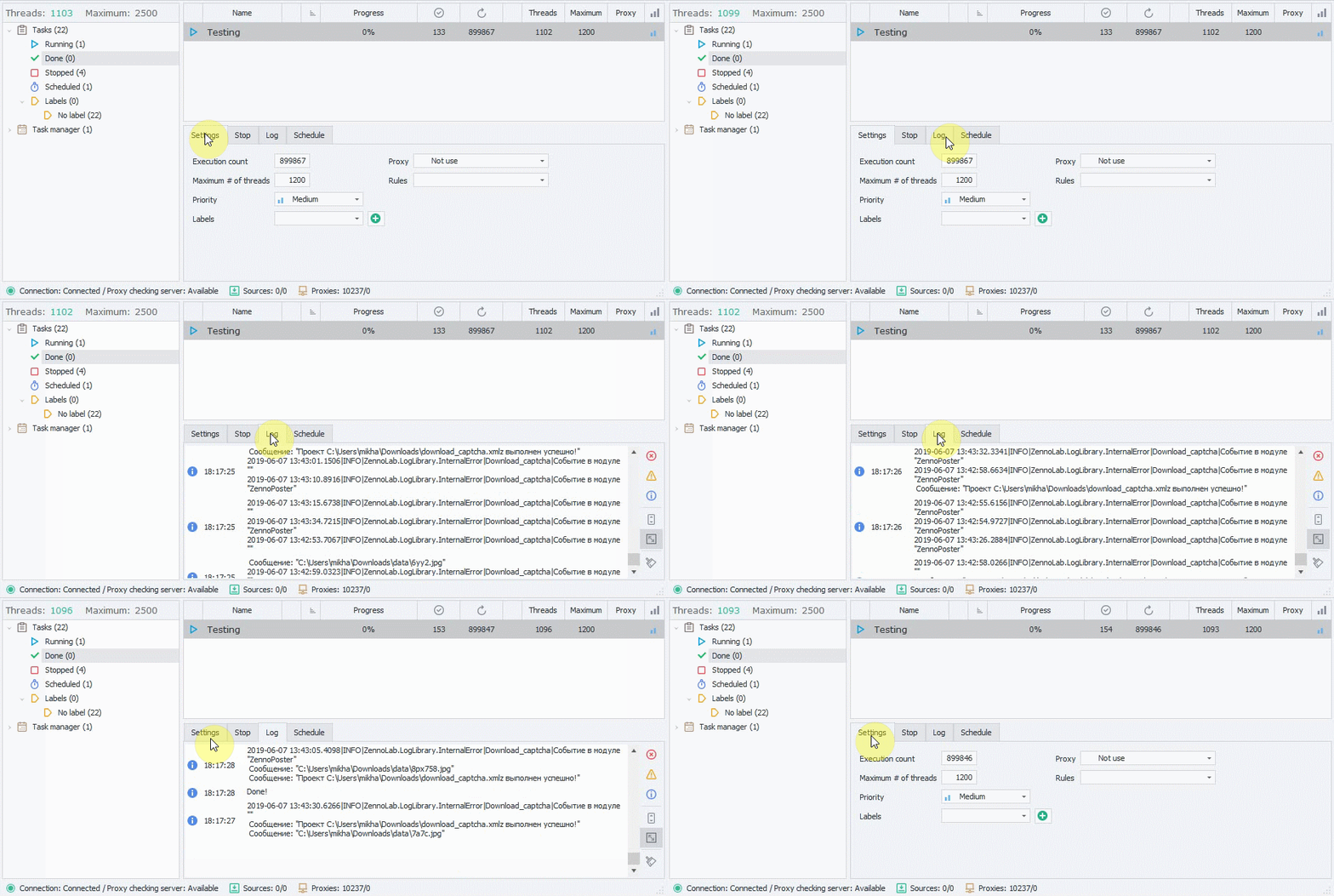
(demonstrating work in 1000+ threads)
Instance preview mode
Browser instance preview mode has been added for displaying all working instances in small size. You will be able to monitor all running threads in one window.
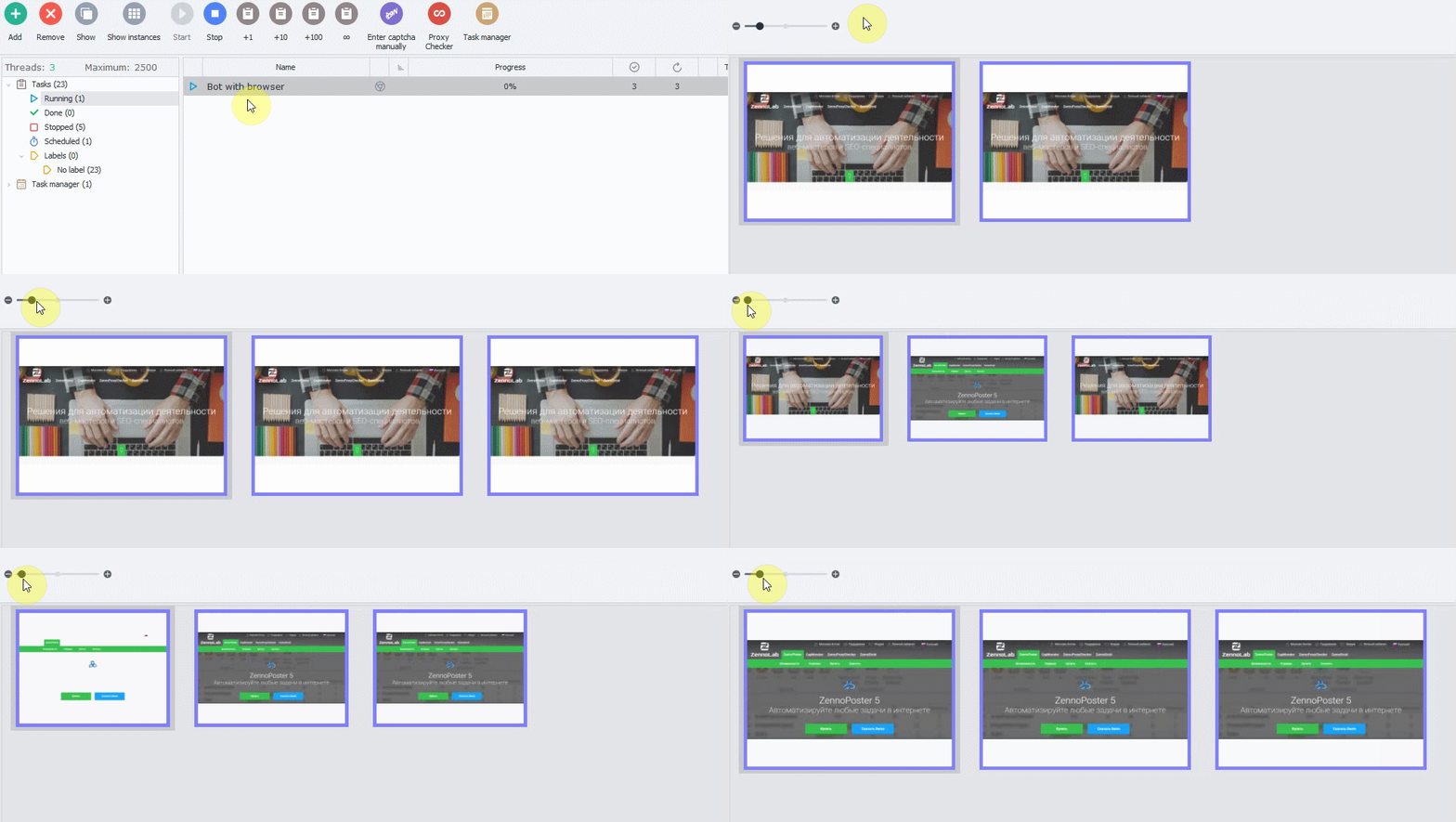
Informative instance icon
If your project works with browser, you will be able to see what browser engine is used - FireFox or Chrome.

UPDATE 09.07.2019 - Version 7.0.1.0
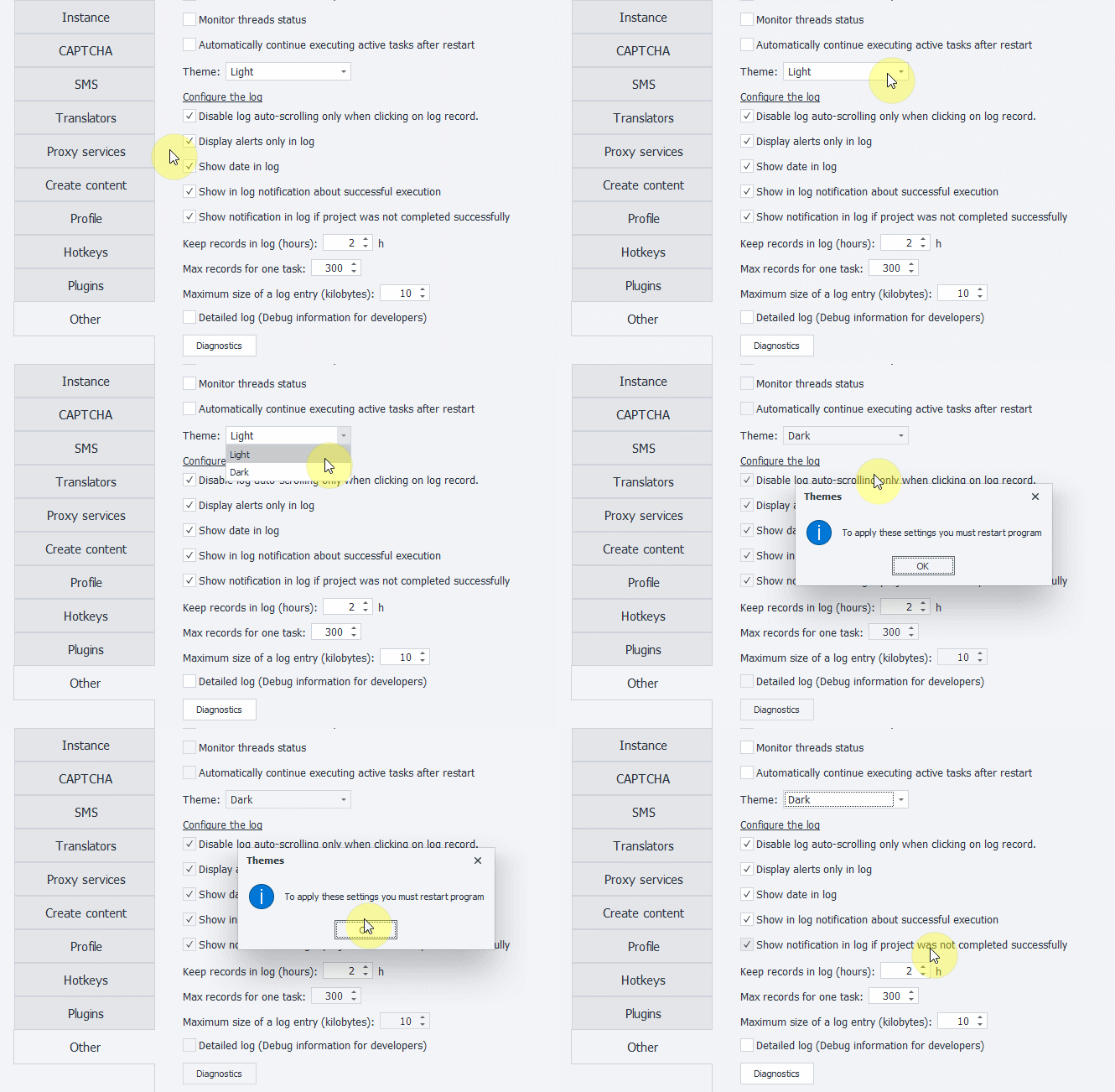
Dark Theme
You requested - we made, long-awaited dark theme is now available in ZennoPoster!
You can change UI theme at any moment in program settings:
|
| ProjectMaker |
.
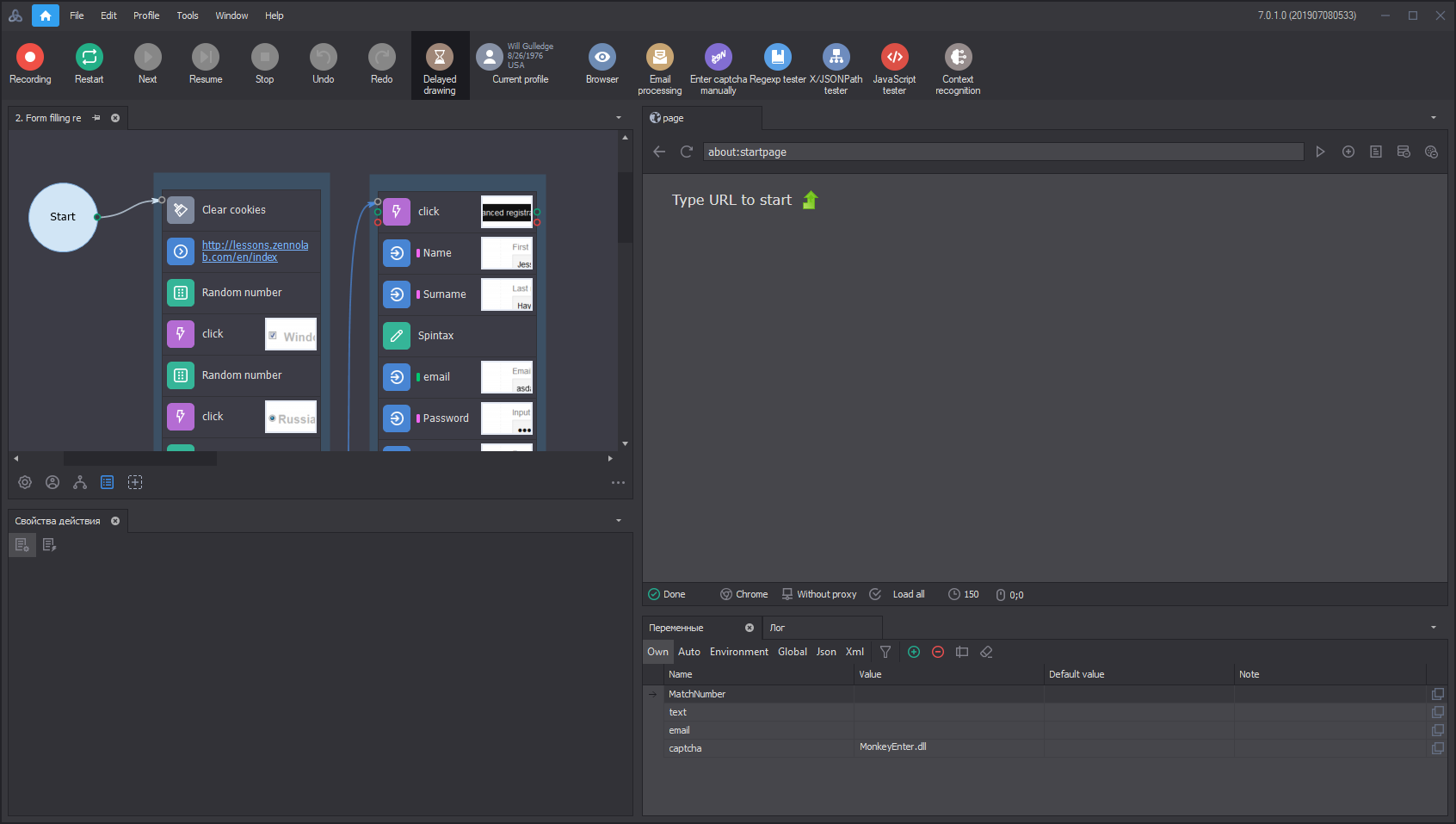
clickable ↑
|
| ZennoPoster |
.
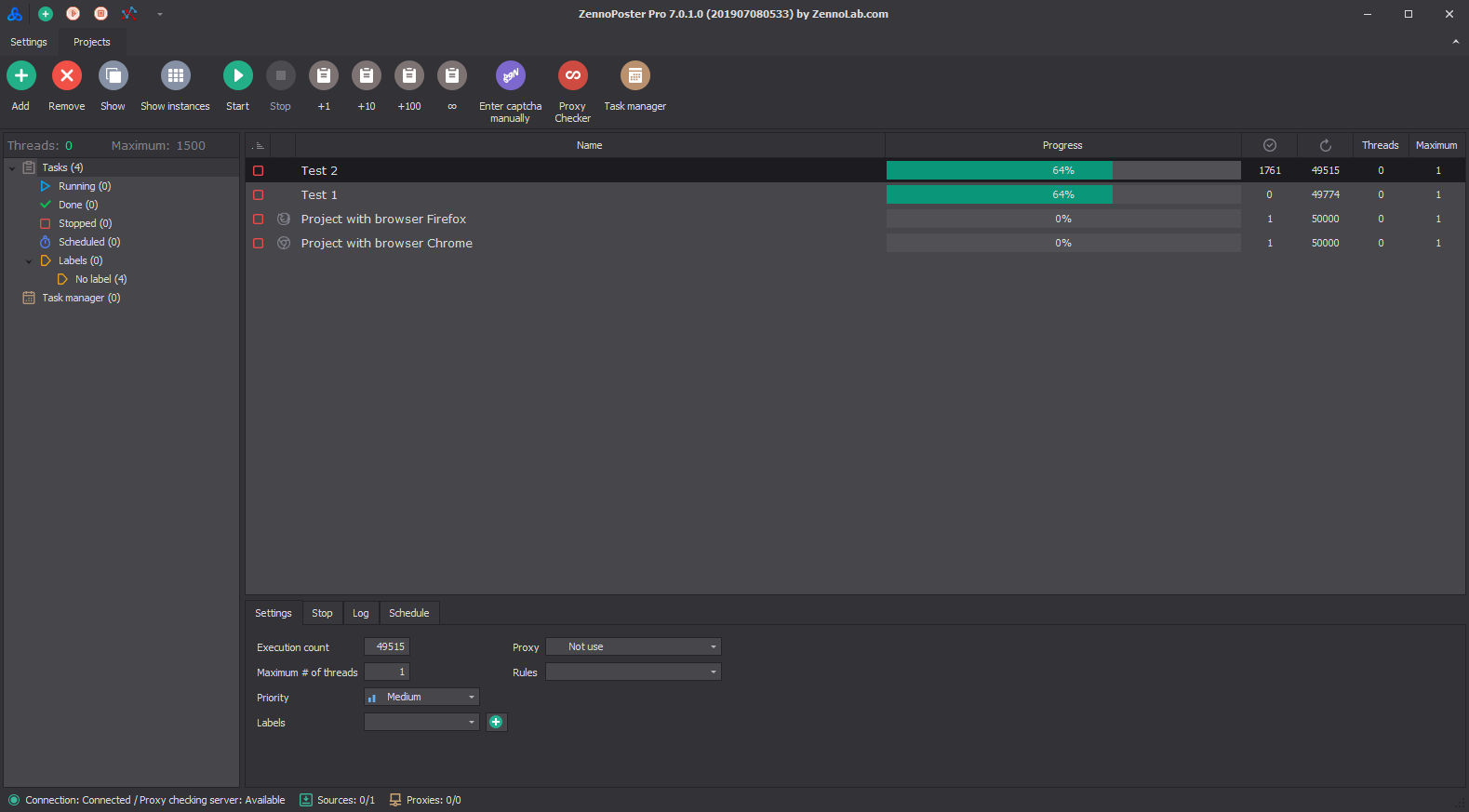
clickable ↑
Super human emulation mode implementation
New mode for emulating user activity called «SuperEmulation» has been implemented into ZennoPoster.
It allows to bypass anti-bot detectors based on neural networks, such as Akamai Bot Detector.
This mode can be enabled in project settings:

For those who works with C#, we added new argument "SuperEmulation" to our API:
C#:
instance.EmulationLevel = "SuperEmulation";Choose your own ZennoPoster
We understand that sometimes it's hard to accept changes and you need time to adapt.
Therefore you can choose by yourself which version to continue using.
New version can be installed along with old one, all settings will be kept.
But we are confident that you like our new ZennoPoster as we have taken into account your user experience, hundreds comments and suggestions and made the software even more convenient for you.

To take part in beta-testing, you should own ZennoPoster license (from Lite to Pro) and have latest updates, or choose demo.
Select EN files for English language.
Download now
How to report problems?
Let's make our collective testing not only enjoyable, but also useful.
If you find a serious bug, please report it in details with clear explanation as to developers, as to other users.
Please report bugs only related to new features in new version.
Please leave your suggestions and report bugs in special section:
Report bugs in ZP7 Beta


