Google Couldn't Verify this Account Belongs To You

  • Автор темы Автор темы askmars
  • Дата начала Дата начала

askmars

Client
Регистрация
18.05.2017
Сообщения
35
Реакции
0
Баллы
6
Hello all,

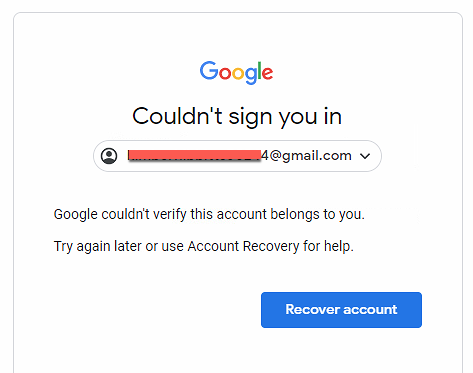
When ZennoPoster try to login some of the Gmail accouts, Google shows "Could't sign you in" after the bot enter the correct password and recovery email. If I uses the regular browsers, I am able to log in all of these accounts.

Could you please let me know what settings I should use so ZennobPoster or ProjectMaker could log in all of them successfully?
Thank you a lot
60134
 
Please tell what zennoposter version you user
and what browser profile settings you set
Profile_emulation.png
 
Hello
I am using Zennoposter V5.45 and I use the default browser profile. Thank you.
60228
 
Yes, I use the residential IP from PacketStream.
Again, this issue only happens for some of the Gmail accounts and the rest of them are fine without any issue.
I would like to know a way to make sure the bot is able to log in to all accounts without this issue.
Thank you again,
 
Yes, I use the residential IP from PacketStream.
Again, this issue only happens for some of the Gmail accounts and the rest of them are fine without any issue.
I would like to know a way to make sure the bot is able to log in to all accounts without this issue.
Thank you again,
And when you login from usual browser, do you use the same proxy?
 
no, PacketStream provides the random residential IP every time when my PC connects it. Thank you.
 
Yes, I use the residential IP from PacketStream.
Again, this issue only happens for some of the Gmail accounts and the rest of them are fine without any issue.
I would like to know a way to make sure the bot is able to log in to all accounts without this issue.
Thank you again,
Could you please give us example of such account for testing.
 
Yes, default is recommended.
You can see what they are in current profile option.
Посмотреть вложение 60283

Hmm, I always thougt it is best to enable all the emulations in profile settings for optimal anonymity and anti-fingerprinting (see screenshot)? And e.g. set 100% Chrome latest version on Windows Desktop while using the Chrome engine in Project Settings.

So set "Generate by default" is better than activating (all or most) of the emulations in Profile Settings regarding anonymity and avoid fingerprinting?
 

Вложения

  • profile.jpg
    profile.jpg
    35,6 KB · Просмотры: 278
I would imagine nall the settings should not do any harm as it will emulate more options.
 
Yes, default is recommended.
You can see what they are in current profile option.
Посмотреть вложение 60283

@VladZen I followed your recommendation and set "Generate by default" in the Profile-Browser settings. But now I noticed that with this setting many of the relevant fingerprints for anonymity stays the same every time a new profile is generated. So the sites we are working on can easily see that it's the same "user" (bot) every time! See attached screenshots from f.vision.

Did I miss something or is there another setting I should activate?

Thanks.
 

Вложения

  • before.jpg
    before.jpg
    54,2 KB · Просмотры: 273
  • after.jpg
    after.jpg
    50,1 KB · Просмотры: 245

Кто просматривает тему: (Всего: 0, Пользователи: 0, Гости: 0)